 Spreadsheet
Kakobuy Spreadsheet listings with one photo in many shops
Scroll any busy category and the same picture turns up on card after card, under different titles and sometimes different prices. Here is why that happens, what it signals, and why the photo itself is nobody's promise.
Why one photo shows up on many cards
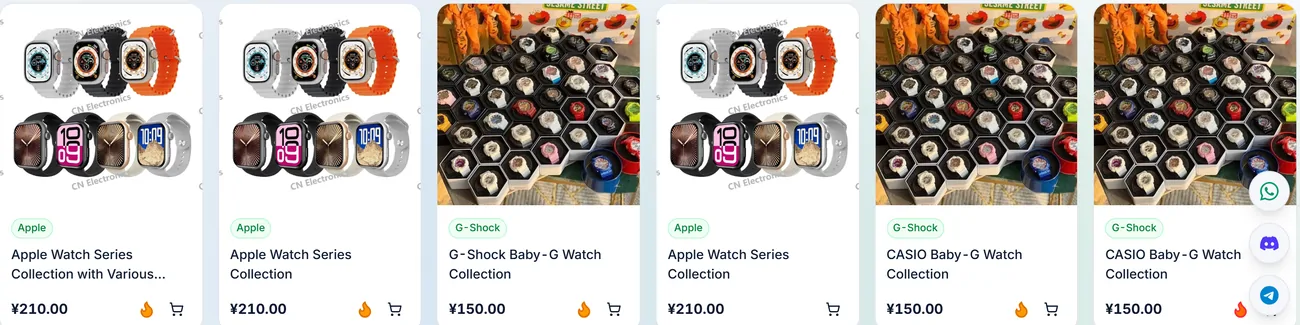
In the saved category example, one line of six cards on the watches category page used only two photographs. A smartwatch collage appeared on three cards titled slightly differently and listed at the same price; a Baby-G collage appeared on the other three. The jersey page in the same saved example had two cards side by side with one collage photo, one called Sports Jersey and one called 26-Piece Sports Jersey Collection.
A supplier may distribute a photo, a reseller may reuse one, or one shop may publish more than one listing. These are possible explanations for a shared image, not conclusions established by the picture. Confirm the seller and specification of each candidate independently.
What a shared photo does prove
A photo in several shops proves only that the image is being reused. It does not establish a common supplier, production volume or available stock.
It also tells you to stop treating the photo as evidence. A polished studio picture may also be reused; check the actual listing rather than inferring who created it. When five shops share one picture, the picture describes an image whose origin may be unknown, not what any of the five has on its shelves.
If you want to compare the five shops against each other, that is a separate job: seller history, buyer photos and price tell them apart. This page stays with the signal itself.
What it does not prove
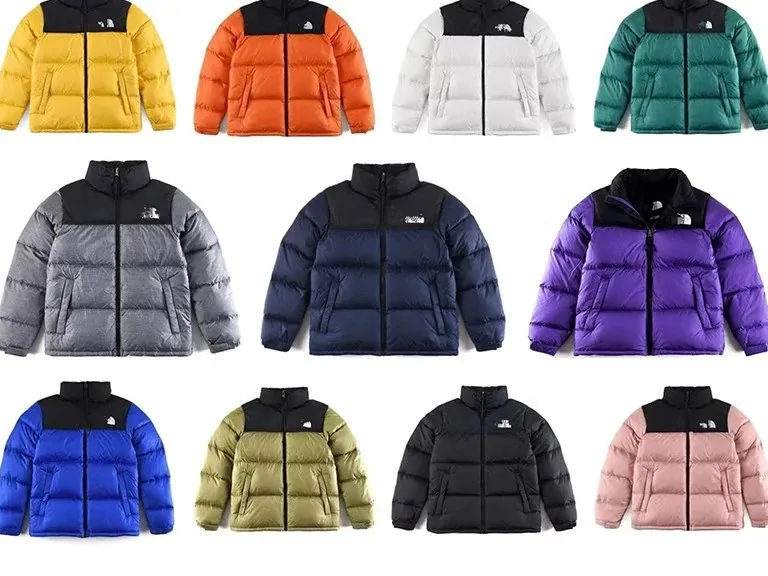
A shared photo does not prove that a given shop holds the item, that the colours in the grid are all available, or that the fabric, fill and zip match the sample. It also borrows popularity: a new shop using a photo that sells well elsewhere collects clicks on the strength of somebody else's sales history.
The practical consequence for a Kakobuy order is simple. The warehouse inspector compares what arrives against your order, meaning the variant and size you chose and the notes you wrote. The inspector does not compare it against a photo in a different shop. If a particular zip or lining matters, request a specific detail photo. Do not assume that a general visual inspection establishes every detail in the listing.
Copy the link, not the photo
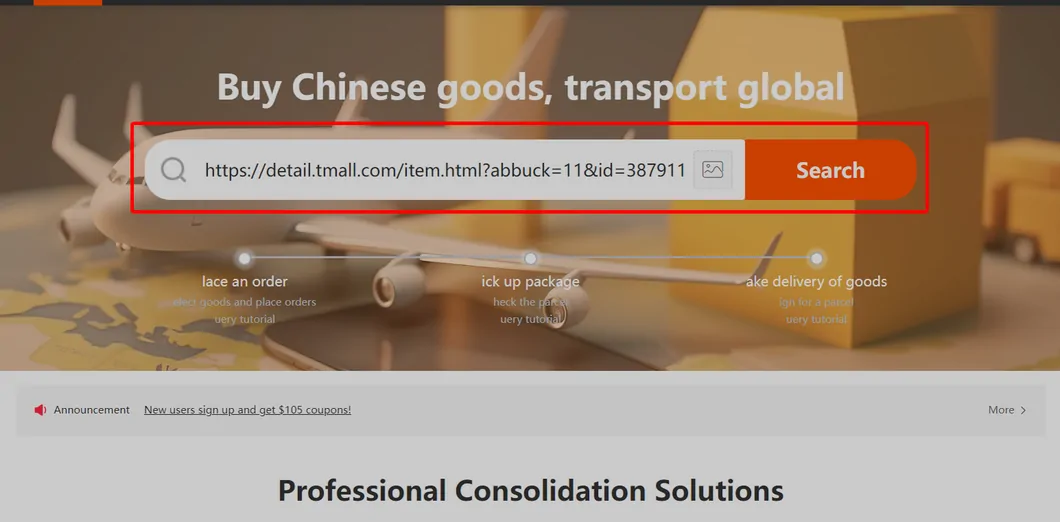
Kakobuy offers image search, and for shared photos it will return many shops at once. That is handy for finding options and risky for ordering: you end up buying from whichever result loads first.
When you have chosen a shop, paste that shop's own link into the Kakobuy search bar, as in the tutorial screenshot. The order then carries the seller, the listing and the variant you looked at, and a later dispute has something specific to point to. Links from Taobao, Tmall, 1688 and JD load directly; for others Kakobuy says it will buy from the details you enter manually (help article 4).
If the seller page no longer matches the catalogue card, pause before copying the link. Check the current title, variant and specifications and ask about any material difference. Do not assume the card or the new listing is the version you intended to buy.
Supplier photos and wholesale minimums
If a candidate links to 1688, read its minimum quantity, sale unit and current terms. The captured carton-handling rule concerns counting boxes without guaranteeing the pieces inside each box. It does not prove where a reused image originated or that a retail listing with the same picture sells identical goods.
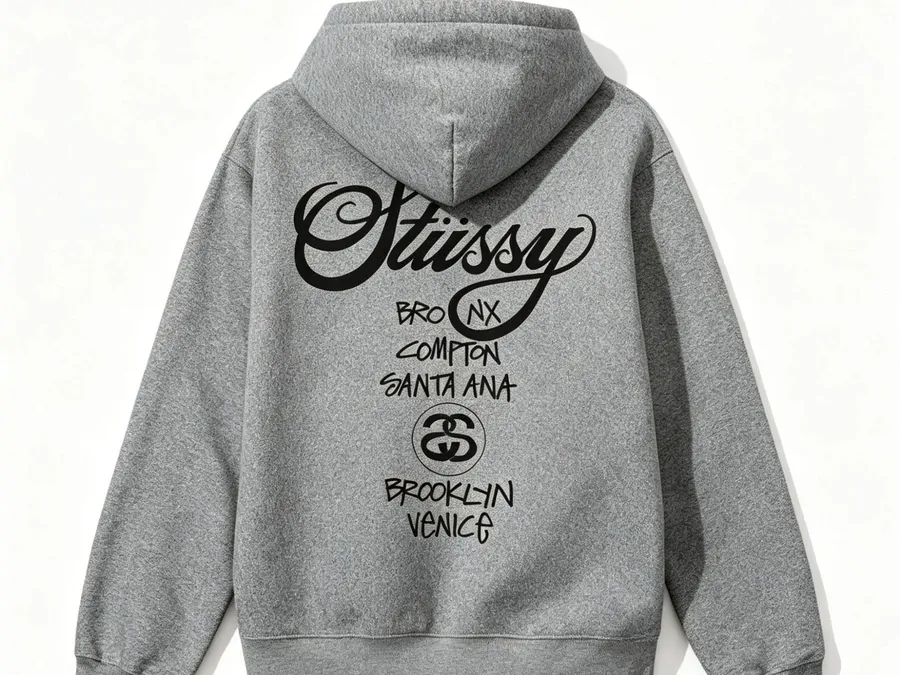
For prints like the one above, ask for a photo of the graphic with a tape measure across it once the item is in stock. Print size and placement are specific details that a measurement photo may help you compare.
Compare the specifications behind the image
Open each candidate listing and compare dimensions, material claims, included pieces, minimum quantity and return terms. If one detail is missing, ask the seller rather than filling the gap from another shop’s photo.
Compare two candidates without assuming a shared supplier
Keep one row for each seller URL: chosen option, dimensions, material claim, included pieces, domestic freight and return conditions. Mark missing details as unknown. A lower price for a single piece is not a saving against a complete set, even when both pages use the same photograph.
Ask each seller the same unresolved question and keep the answer with that listing. Once you choose, carry that exact URL and option into the purchase request. Evidence from a different shop should not silently become a promise in your order.